
Editorial UI
OJS Dashboard Dark Mode
Ergonomic Dark Mode Interface for OJS 3.x Editorial Dashboard
OJS Dashboard Dark Mode brings a carefully calibrated high-contrast dark color palette to the OJS backend workspace, reducing eye strain for editors and reviewers during long sessions.
Free
Full compatibility with OJS 3.x
Complete installation & configuration guide
Follows PKP OJS security best practices
PLUGIN PREVIEW
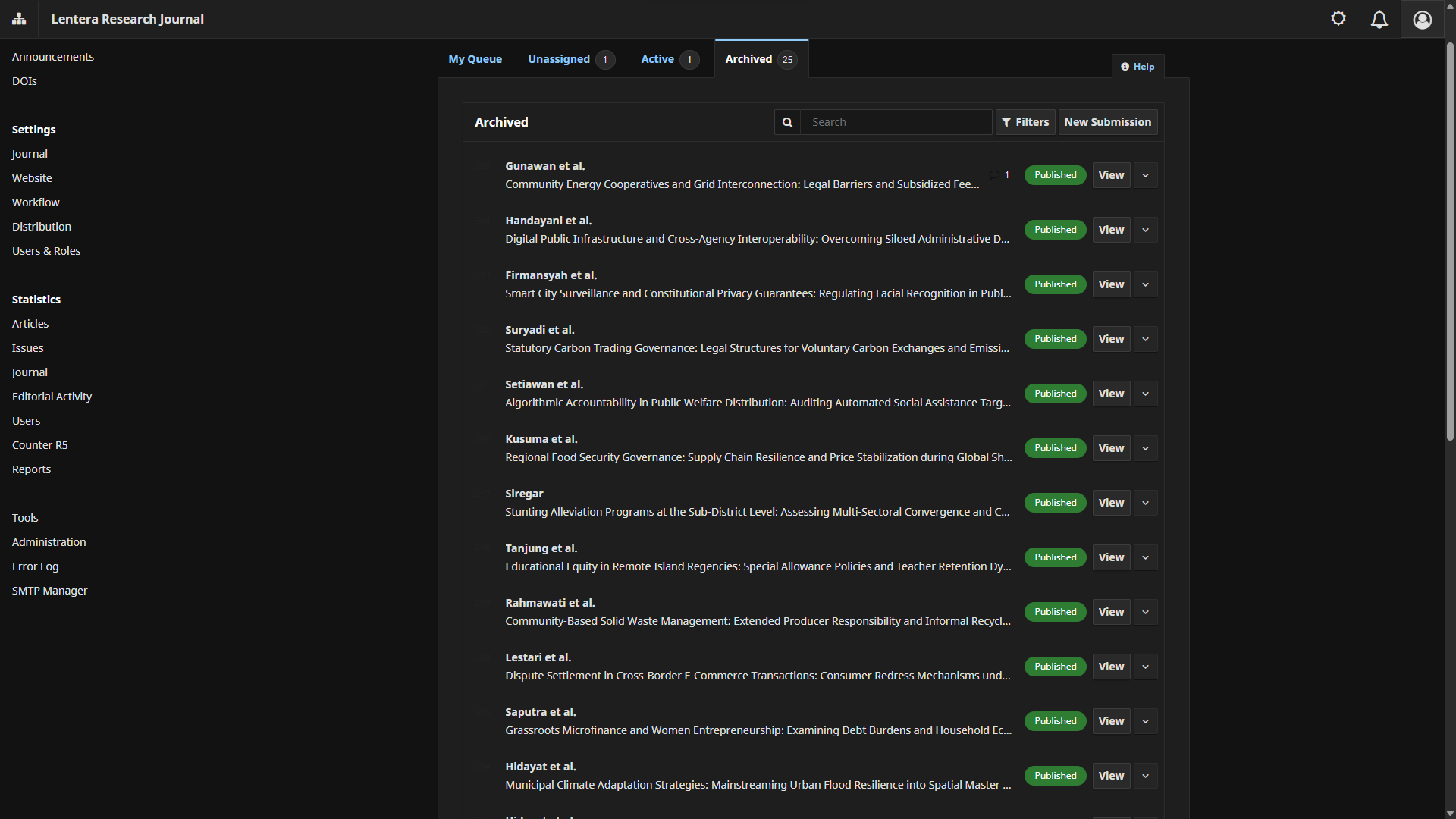
KEY FEATURES & CAPABILITIES
Visual Comfort
- Calibrated dark color palette for manuscript tables and forms
- Sharp, clear contrast for submission status badges
- Reduces blue light exposure during late-night editorial sessions
Ease of Use
- Quick Dark / Light toggle switch in the top navigation bar
- Automatically saves display preference per user
- Instant theme transition without page reloads
Performance & Compatibility
- Only styles admin/editor backend without affecting the public journal theme
- Ultra-lightweight assets with zero browser overhead
- Full compatibility with OJS 3.x
TECHNICAL SPECIFICATIONS
Supported PKP OJS VersionsOJS 3.x
PHP VersionsPHP 8.0 / PHP 8.1 / PHP 8.2 / PHP 8.3
Deployment MethodDownload & Install via GitHub Repository
OTHER PLUGINS
Back to Plugin Catalog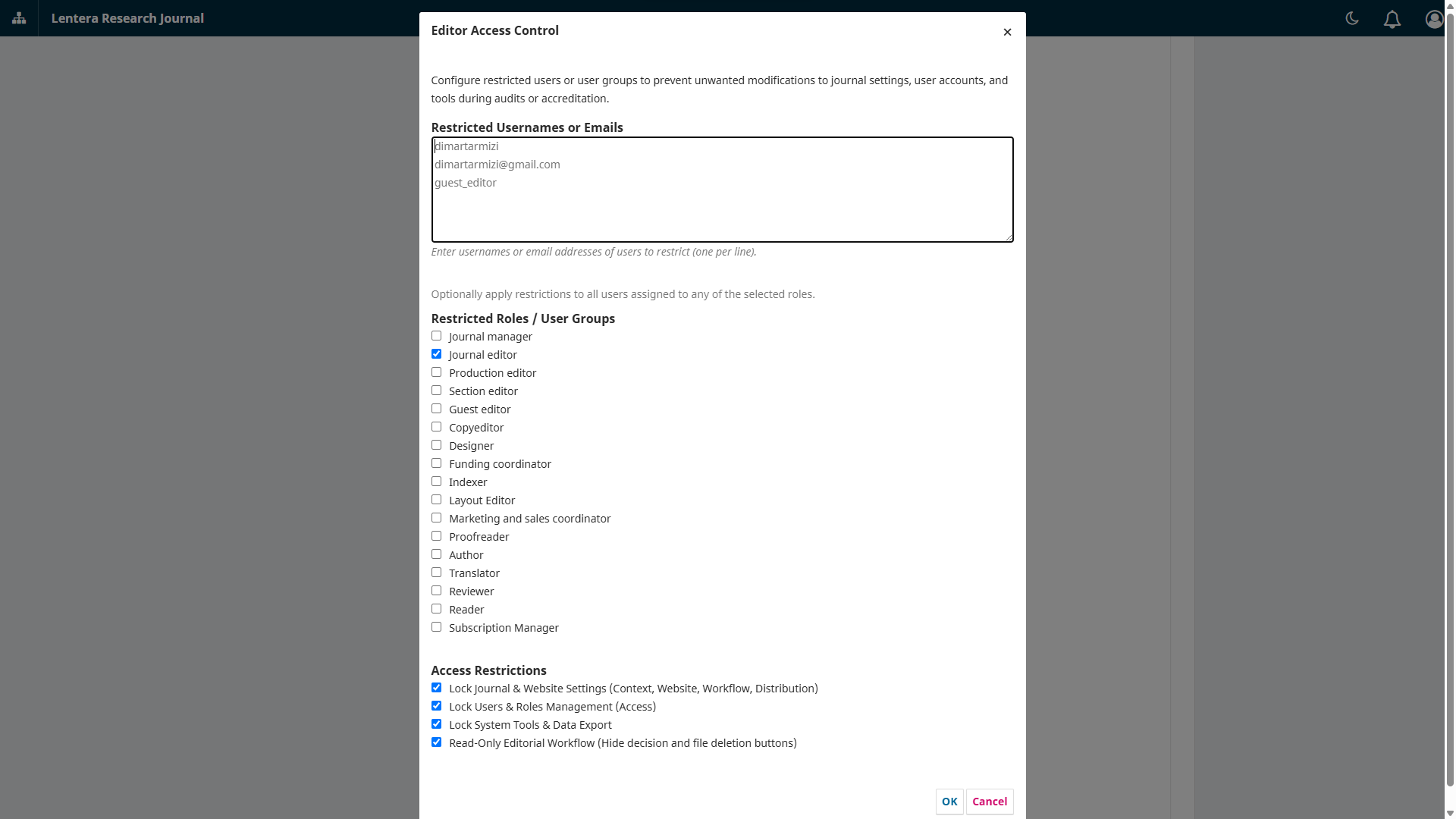
Role Security
OJS Editor Access Control
Grants editorial workflow access to editors while strictly blocking managerial settings and user impersonation.
FreeView Details
Workflow Tracking
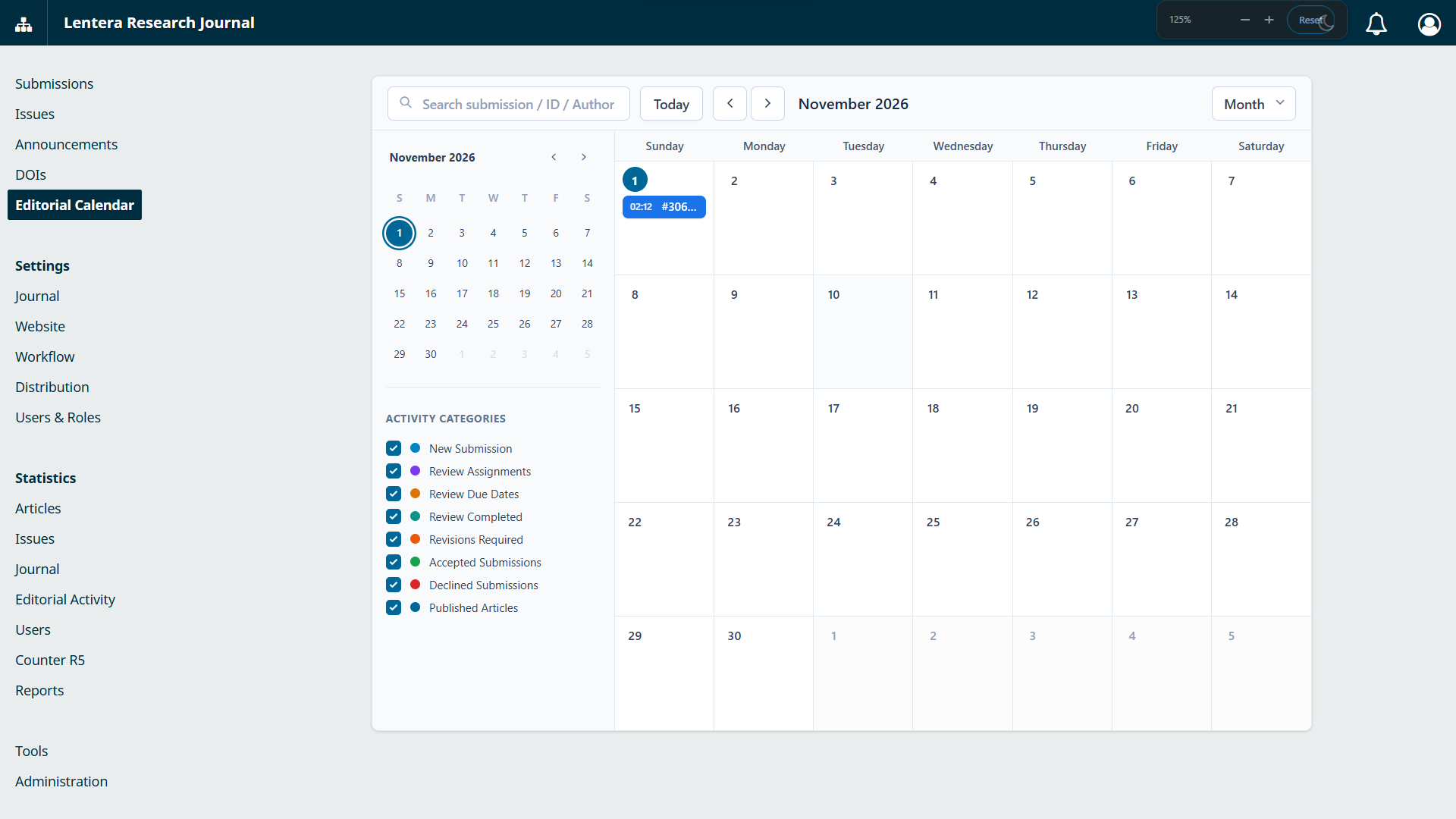
OJS Editorial Calendar
Visual editorial activity calendar allowing journal editors to track deadlines, review progress, and issue release targets.
$29View Details